



Rita El Khoury / Android Authority
For the past few months, I’ve delved deep into the mess that is Qi2 on the Pixel 10 series. When I started out my tests, I thought, “Oh, how complicated could it get? Just get a Qi2 charger, put your phone on it, and boom, done!” But many chargers and power banks later, I’ve learned that Qi2 on Google’s Pixel 10 phones is a convoluted, annoying, disappointing story. Here is what I found out, and how I found it out.
Don’t use a Qi charger for your Pixel 10
Rita El Khoury / Android Authority
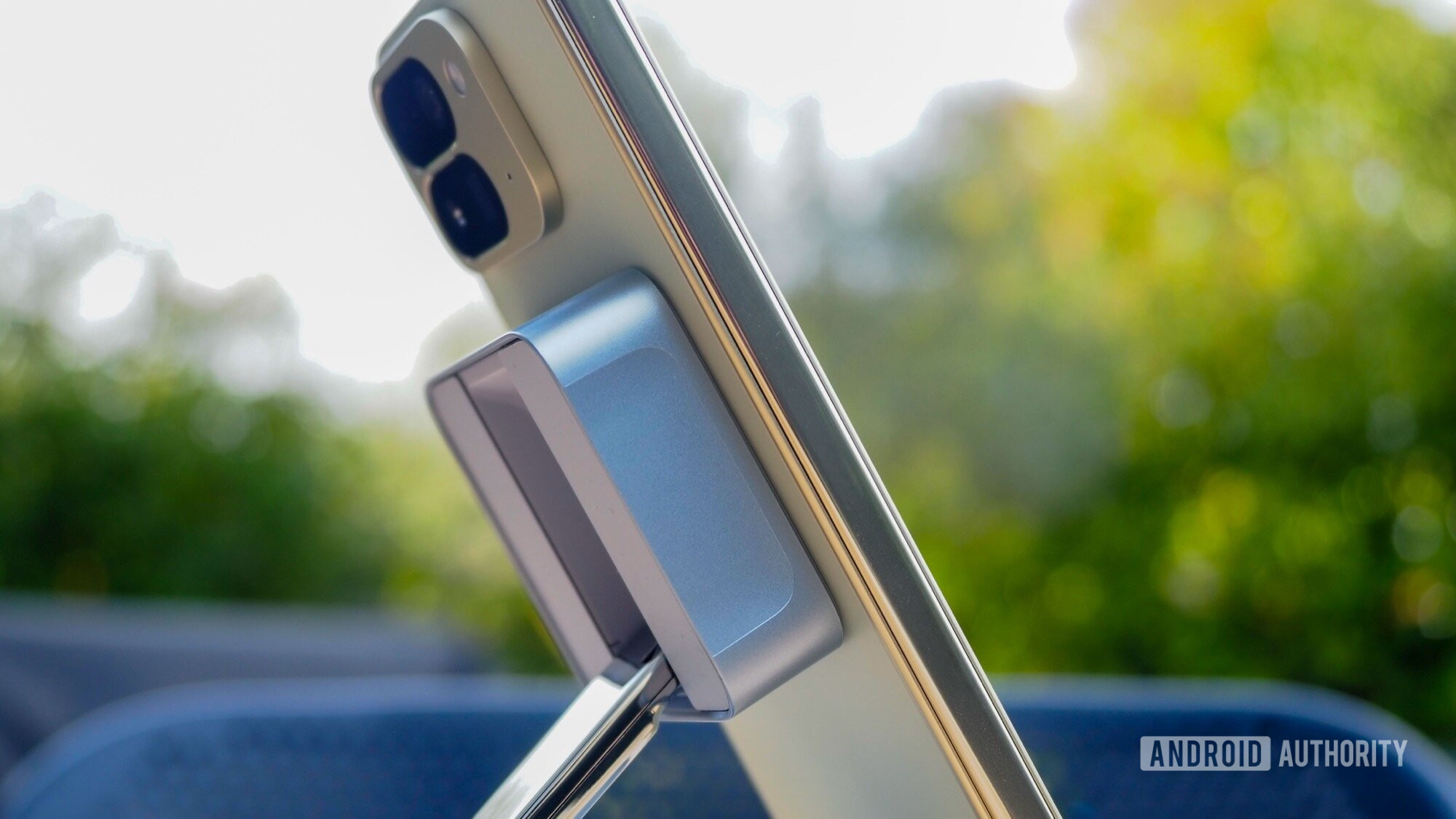
The first lesson you need to keep in mind when wirelessly charging your Pixel 10 phone is that you should look for a certified Qi2 charger. A 15W Qi2 charger will work with all four phones in the series, but if you want an admittedly small boost in charging speed, you can get a Qi2 25W (also known as Qi2.2), but only for your Pixel 10 Pro XL.
Do not fall into the trap of thinking that a 15W Qi charger will do the same job as a Qi2 15W charger, not even the Extended Power Profile-certified ones (EPP). On paper, Qi2 is backwards compatible with Qi, and these two chargers should deliver the same power to your Pixel 10. In reality, they don’t. Why? Pixel 10 phones seem to prioritize the Magnetic Power Profile (MPP) handshake of Qi2 when placed on a wireless charger, and when they don’t find it on those older Qi chargers, they don’t fall back to EPP to make use of the higher 12W or so of power from them. Instead, they ask the charger to go to the much lower and safer Basic Power Profile (BPP) at 5W.

Rita El Khoury / Android Authority
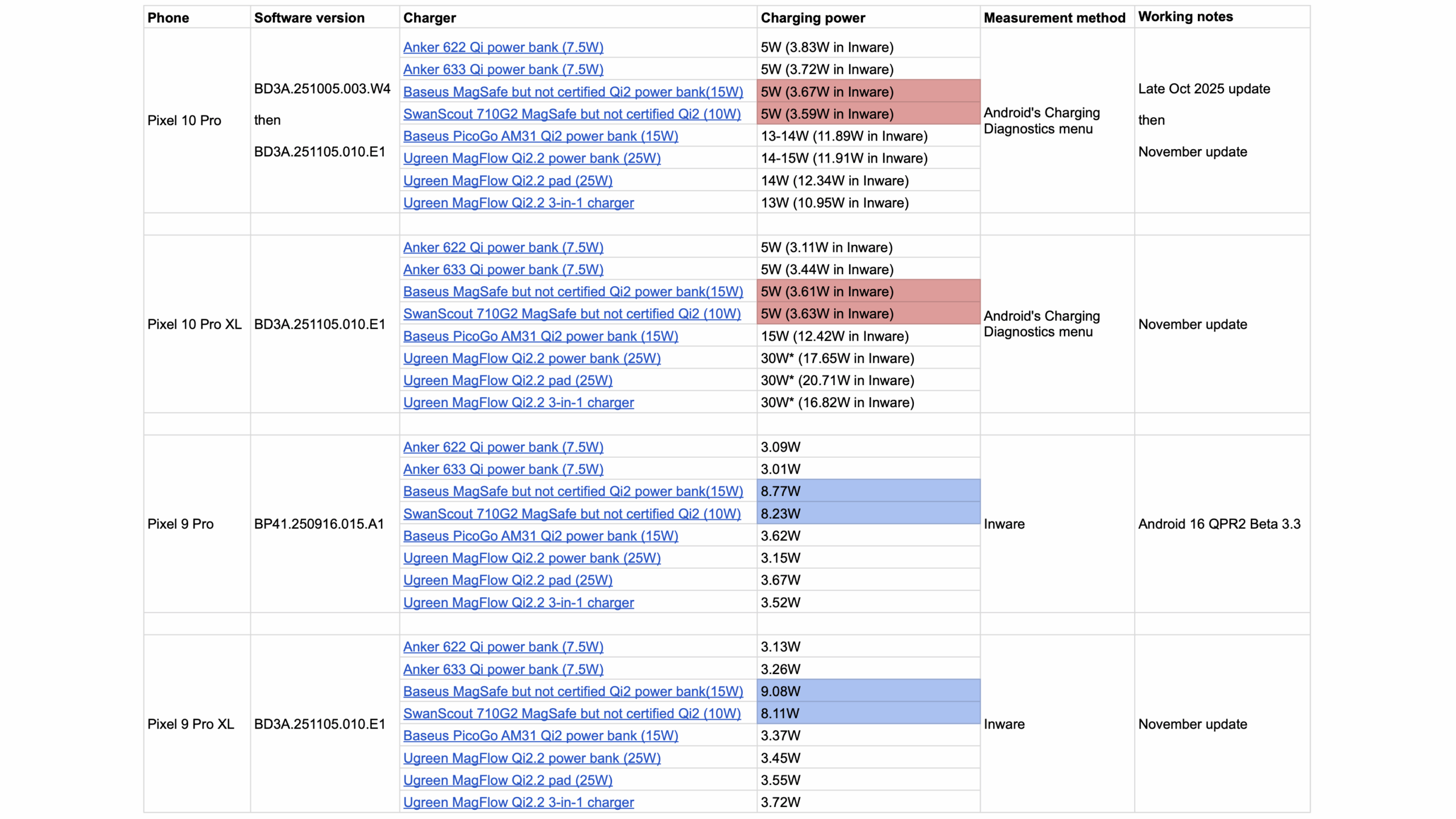
In all of my tests, I found out that the 15W- and 25W-rated Pixel 10 Pro and XL were dropping to an effective charging rate of only ~3.6W (which matches the theoretical 5W of BPP) on my 10W and 15W EPP-certified Qi chargers from SwanScout and Baseus (red cells in the table above). The Pixel 9 series, which doesn’t have Qi2, was able to get more power out of those same chargers (blue cells). To get a better charge for my Pixel 10 phones, I had to use certified Qi2 chargers.
15W Qi-certified chargers will only deliver 5W of charge to your Pixel 10 on a good day. You need Qi2-certified chargers.
So, an older Qi charger should still work on Pixel 10 phones, but it will be much slower and won’t give you anywhere near its rated power. Even a 15W Qi charger with a 15W Pixel 10 Pro will result in 5W of charging. Worse, though, there are hundreds of online reports from users, including my colleague Zac, who have had a ton of trouble using Qi chargers on their Pixel 10. It either doesn’t charge at all or stops charging midway, or it’s finicky at best. This has specifically irritated car owners with built-in Qi pads, who can’t get their Pixel 10 to charge there and can’t exactly replace their whole car.
Even with Qi2 25W, the Pixel 10 Pro XL charges very slowly
Rita El Khoury / Android Authority
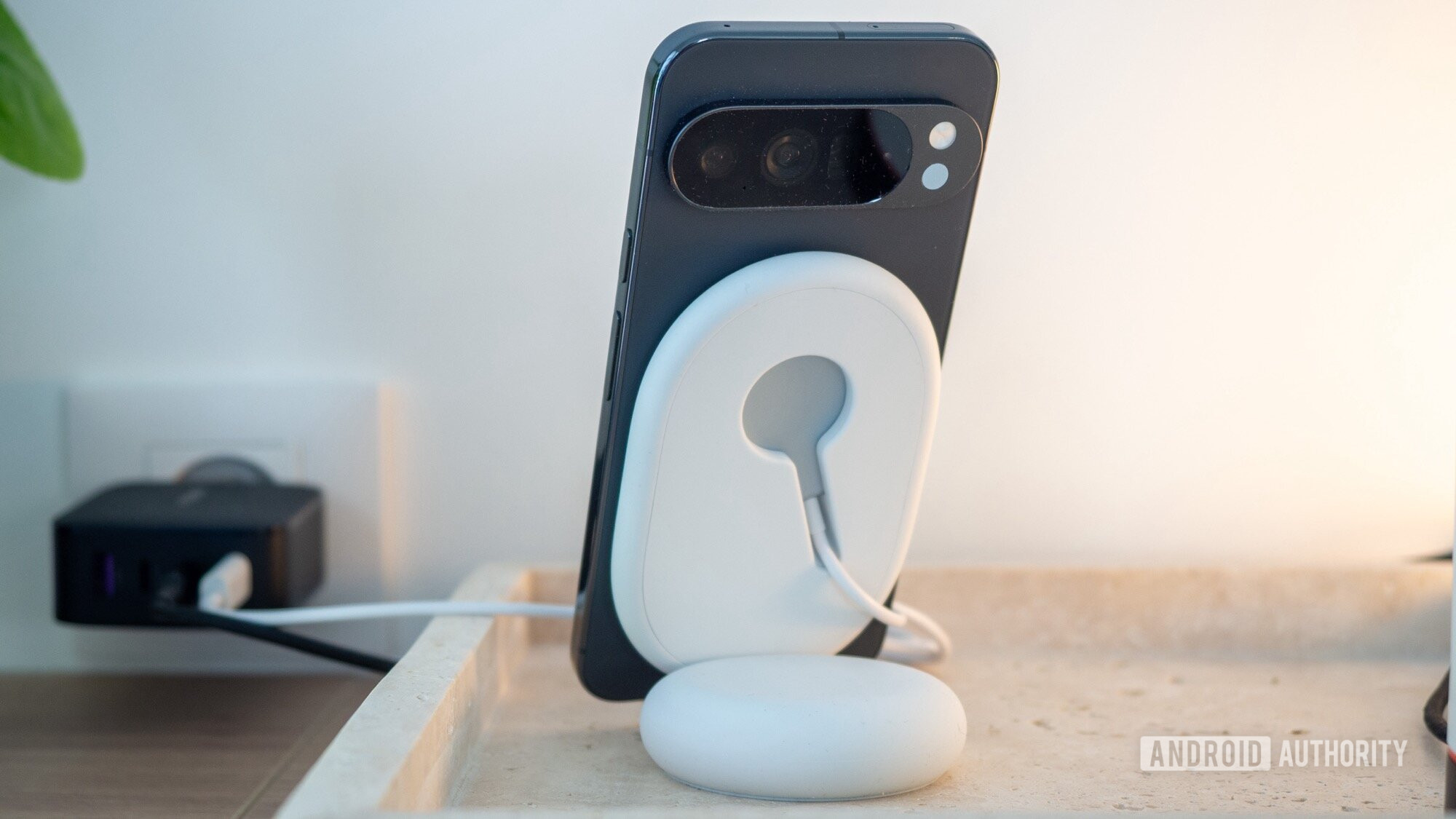
On paper, a 25W charge from a Qi2-certified charger should fill up the Pixel 10 Pro XL very quickly, and shouldn’t be a huge compromise compared to the effective 35W charging rate over USB-C. At least, that was my hope when I heard that the Pixel 10 Pro XL supports this new Qi2.2 certification.
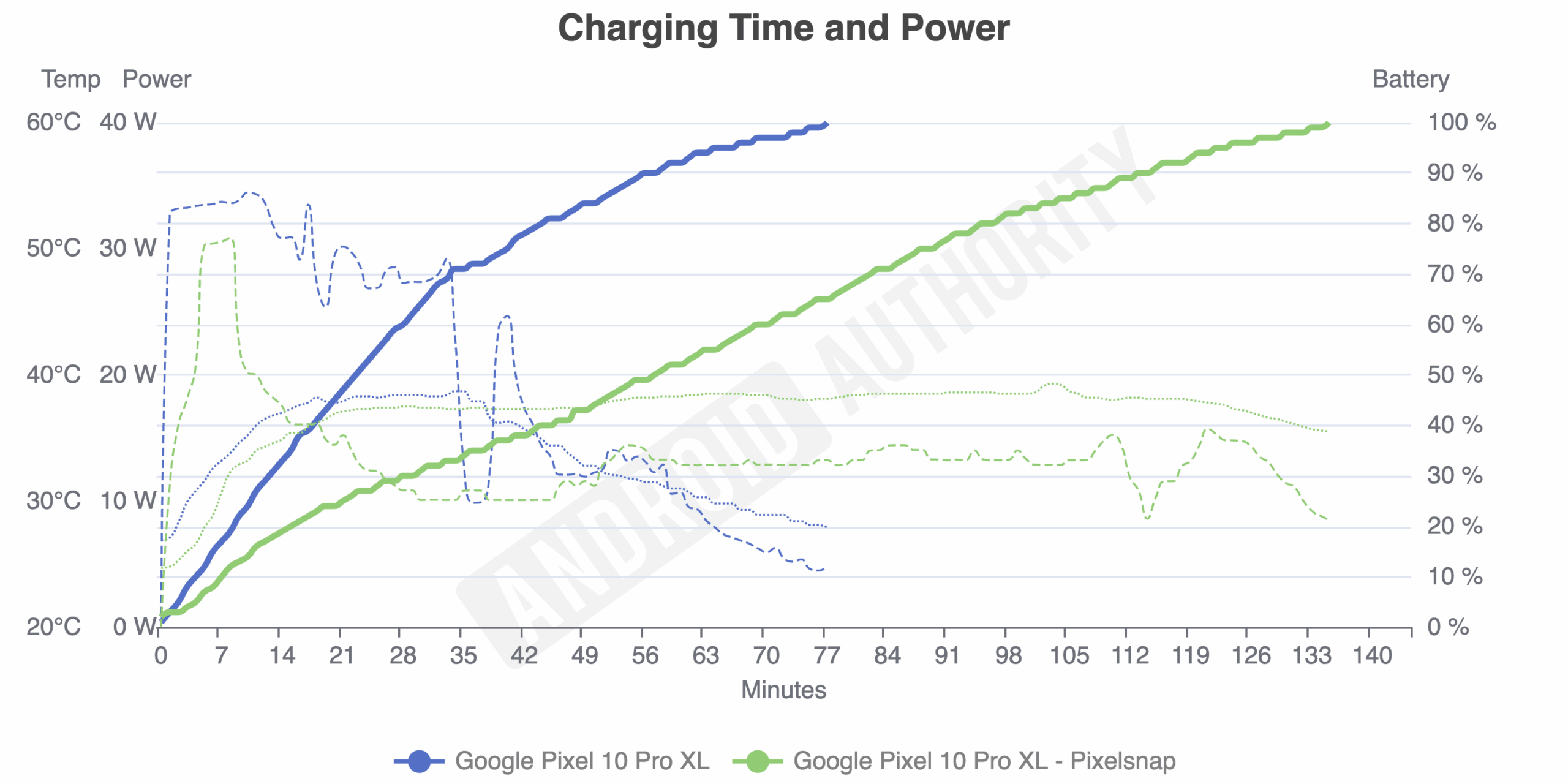
Reality is, once again, very different. A full charge of the Pixel 10 Pro XL takes 77 minutes over USB-C, but stretches to nearly double that time — 135 minutes — over Qi2 25W. This is using Google’s official Pixelsnap Charger with Stand. If you look closely, you’ll notice something very interesting too. Both methods start out at a very high charging rate (dashed lines) of 30W or so. (The Pixelsnap wattage is measured when it’s drawn from the wall since there’s no way to measure it between the pad and phone, so it’s inflated a bit beyond the rated 25W). However, that high power rate is sustained for more than 30 minutes over USB-C, whereas it peaks and drops after a few minutes on the Pixelsnap Charger. This is why charging a Pixel 10 Pro XL over Qi2, even the 25W-certified chargers, is so slow: You only get 25W for a few minutes, then it’s down to 10W or so.

Rita El Khoury / Android Authority
It’s also worth noting the phone’s temperature (dotted lines) during both processes. Over USB-C, the temperature peaks at 38.7°C, but drops drastically after 30 minutes, once the phone is charging at a slower rate. With the Pixelsnap Charger, the temperature goes up to 38°C and remains there for nearly the full duration of the charge, despite the rate dropping after a few minutes. That’s more than two hours of high temperature.
But don’t blame all of this on wireless charging! A good point of comparison is the Pixel 9 Pro XL, which can charge wirelessly at up to 23W on the Pixel Stand 2. My colleague Rob tested the Pixel Stand 2 vs. Pixelsnap and saw a huge difference in charging efficiency and speed. On the Pixel Stand 2, the Pixel 9 Pro XL fills up in 101 minutes, 30 minutes faster than the 10 Pro XL on the Pixelsnap’s Qi2 25W charger. It maintains a high charging rate for close to 40 minutes instead of dipping after a few minutes, and it never gets as hot, dropping to below 30°C in the last 15 minutes or so. This proves that wireless charging can be faster, cooler, and at a more sustainable power rate. Just not with Qi2 on the Pixel 10 series.

Qi2 or Qi2 25W? The difference is negligible
Rita El Khoury / Android Authority
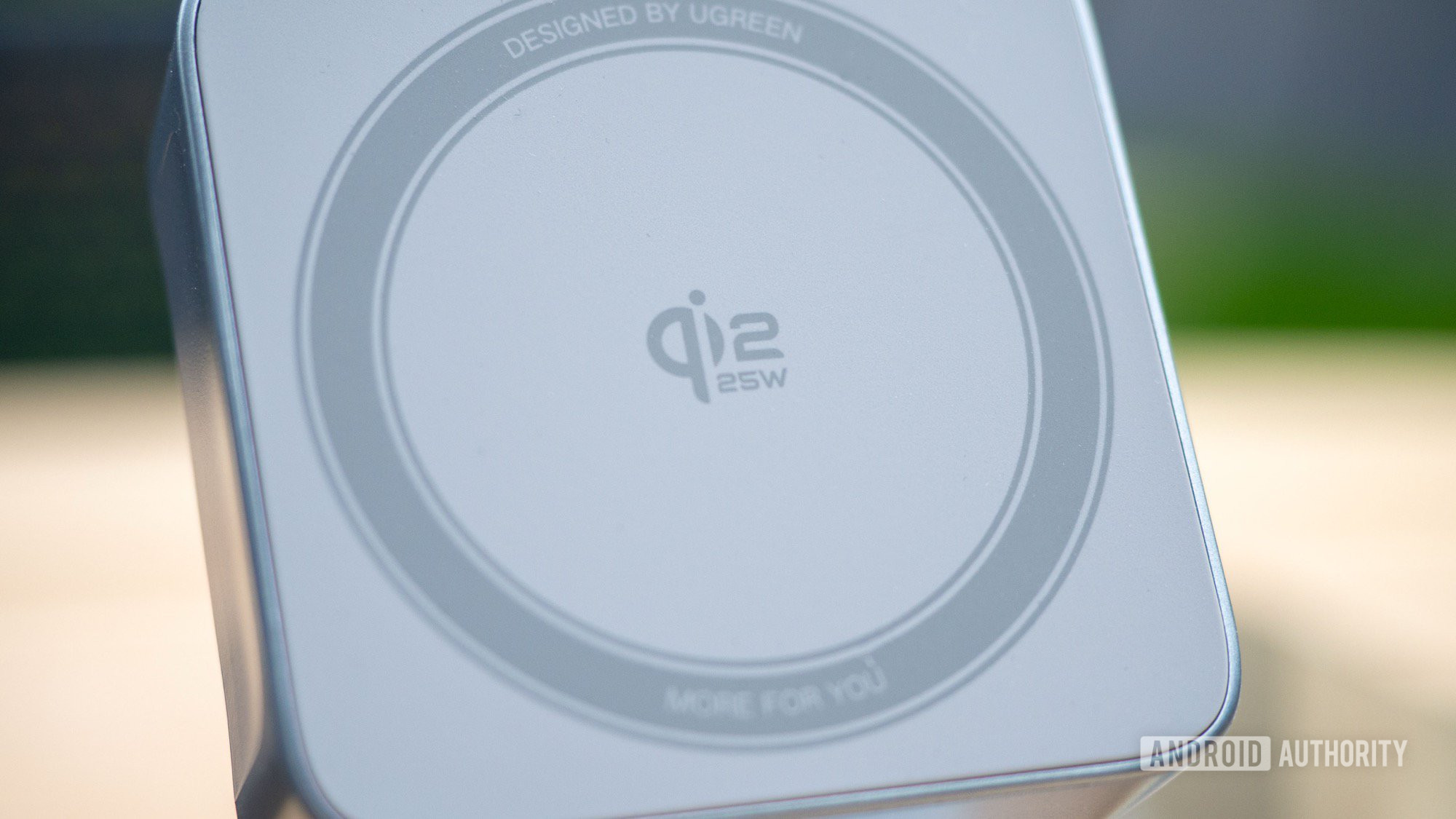
When I started my tests, I was expected to be blown away by how much faster Qi2 25W would be over the basic 15W Qi2. But the more I used the Qi2 25W-rated Pixelsnap, desk chargers, and power banks in my possession, the more I noticed that the difference is more or less negligible. Since the Pixel 10 Pro XL barely lasts a few minutes on its maximum charge rate and dwindles down to ~10W for the grand majority of the charge, it doesn’t matter if your charger can deliver 15W, 25W, or 100W. What you’re getting is still roughly 10W for nearly two hours.
I expected Qi2 25W to be nearly twice as fast as 15W Qi2, but in reality, it’s only marginally faster.
What I did notice is that the Pixel 10 Pro XL tends to heat up less over Qi2 25W than the Pixel 10 Pro does over basic Qi2, but that could be due to the phone’s internal thermal dissipation (larger phone equals more space, usually), more than the charging protocol itself. Since there’s less loss due to heat, this also explains why the Pixel 10 Pro XL charges a bit faster and more efficiently than the Pixel 10 Pro, despite having a larger battery. But the difference, once again, is negligible in the grand scheme of things.
If I were buying a Qi2 charger today and there was more than $20 of price difference between the 15W and 25W models, I would go for the cheaper one, knowing I was signing up for a slow and rather inefficient charge, regardless. The only reason to pay more is if you want to future-proof your purchase for a potentially more efficient Pixel 11 or a different phone brand.
A Qi2 power bank essentially only delivers half its capacity
Rita El Khoury / Android Authority
When you buy a portable external battery for your phone, you should always consider the fact that the advertised capacity is not what your phone will really receive in charge. This is due to many losses with voltage conversion and the extra heat generated by the process. Wireless charging is a worse culprit because it generates even more heat and causes a more significant loss of capacity while the power is being transferred from the power bank to your phone.
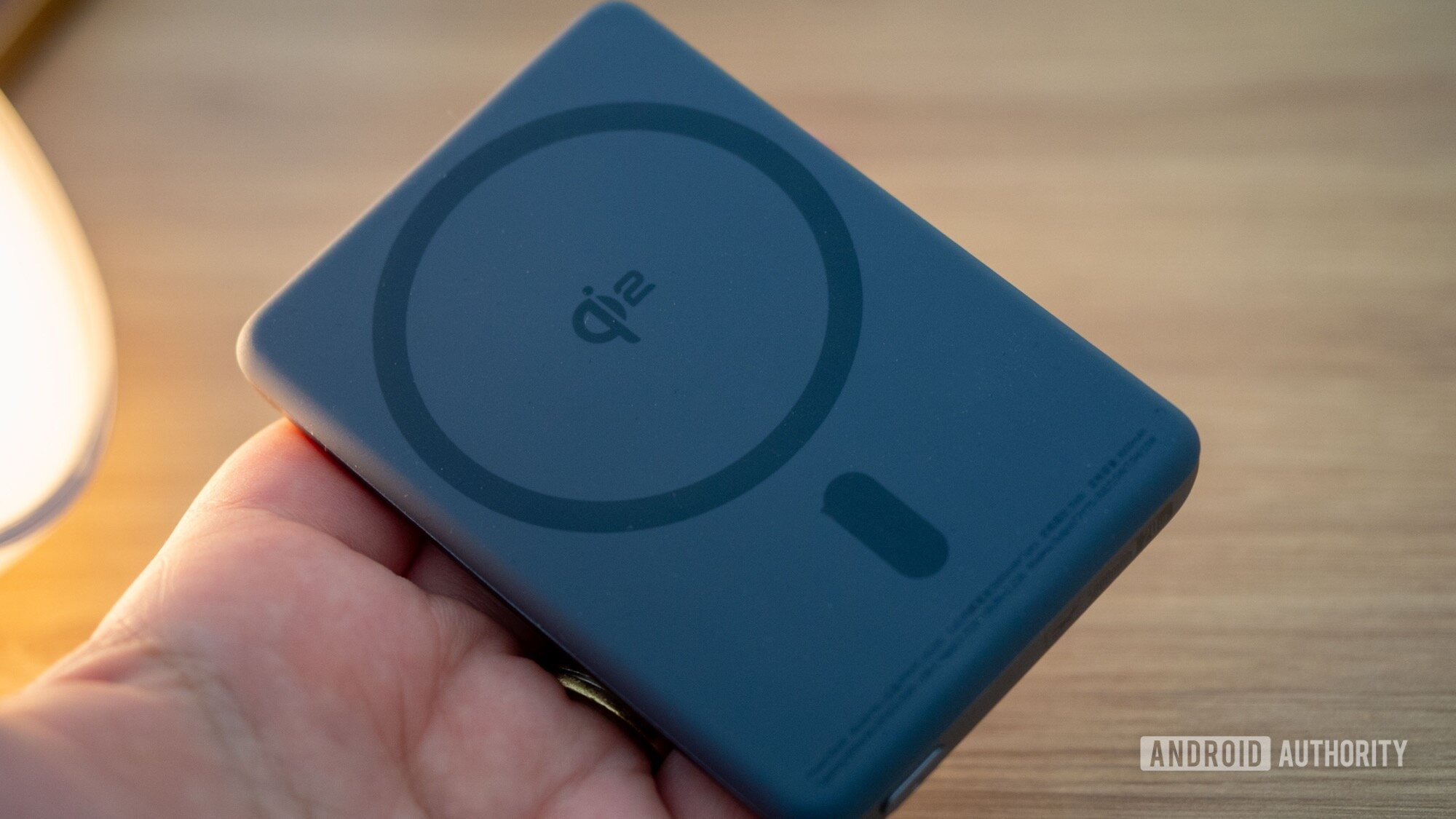
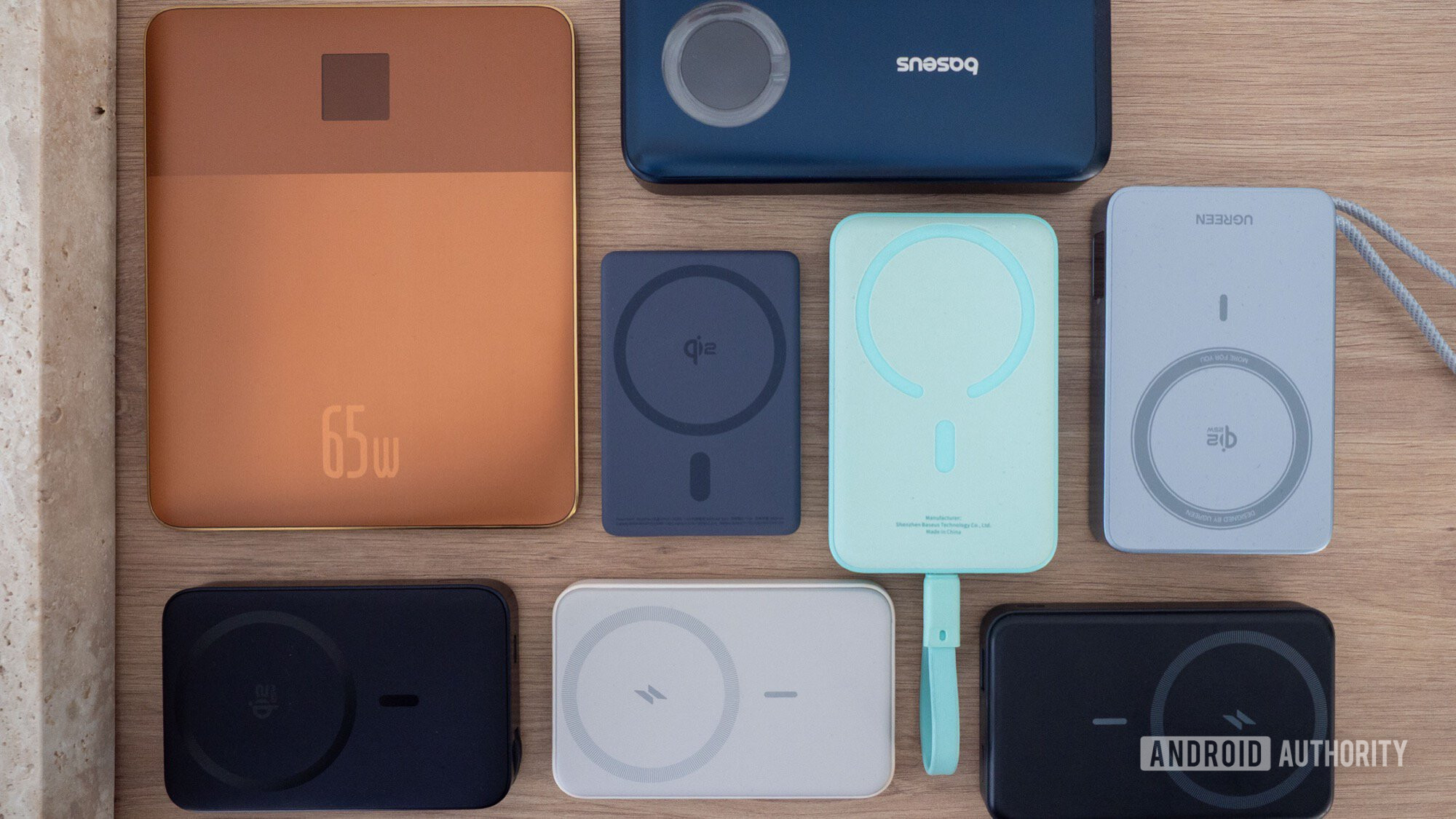
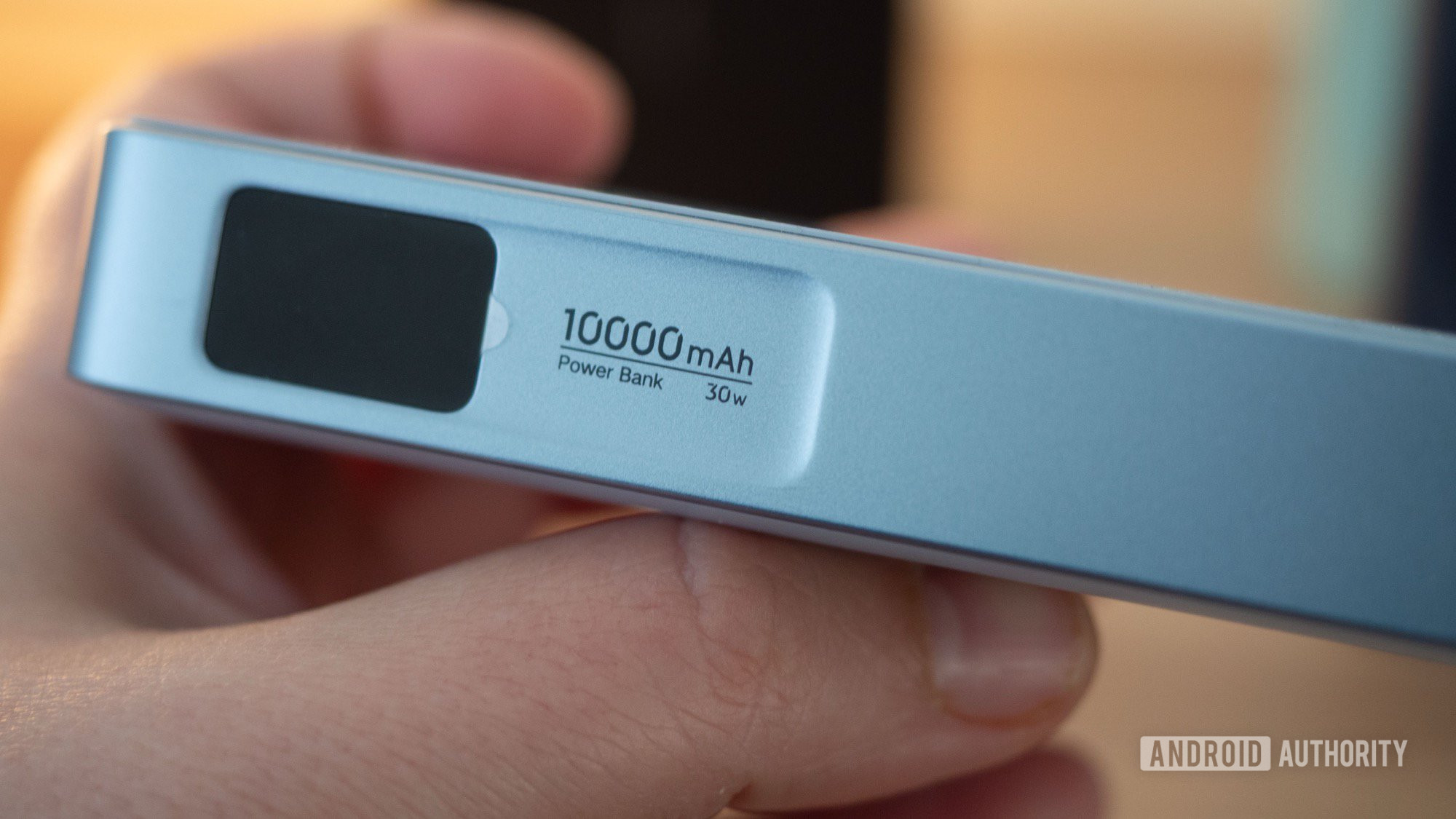
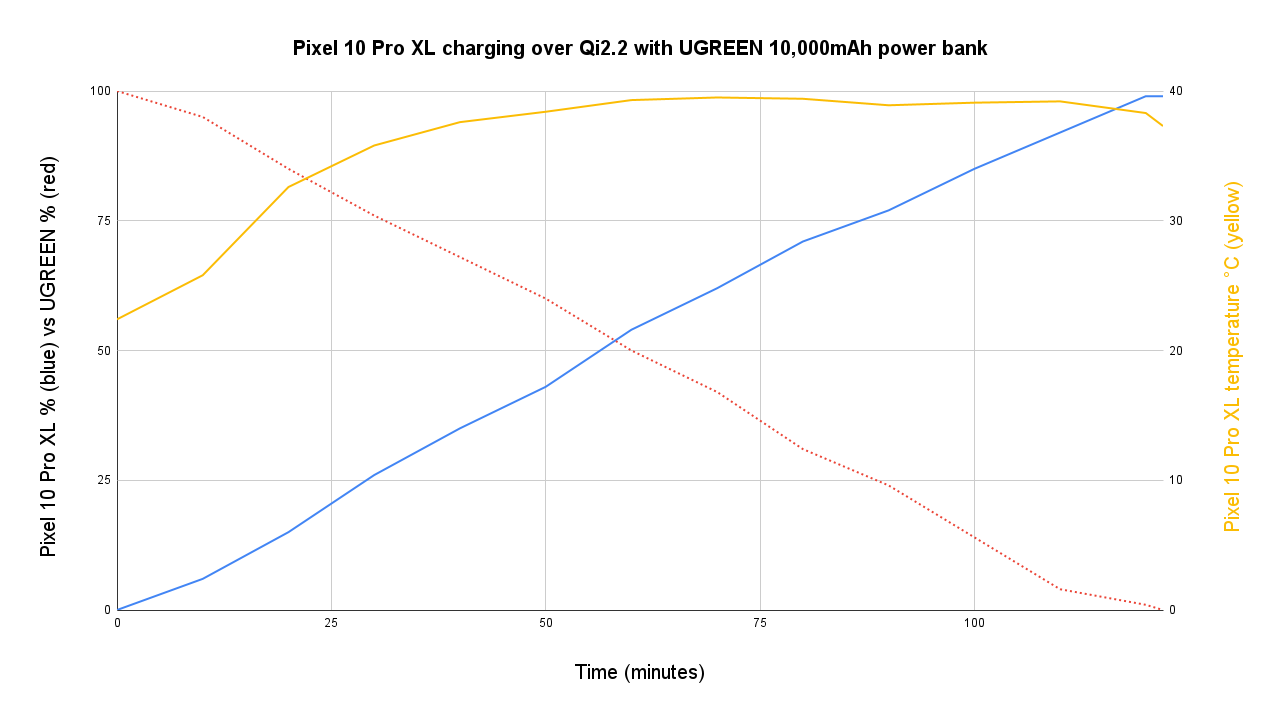
In reality, you can more or less divide the theoretical capacity of a power bank in half to get the real charge that’ll be delivered to a Pixel 10 phone over Qi2. I noticed this when I tested several Qi2 25W 10,000mAh power banks from UGREEN and Baseus on my Pixel 10 Pro and 10 Pro XL. Theoretically, these batteries have nearly double the capacity of my 4,870mAh Pixel 10 Pro and 5,200mAh Pixel 10 Pro XL, but they were almost always depleted by the time the phone charged from 0% to 100%.

Rita El Khoury / Android Authority
Similarly, the super slim 5,000mAh Baseus Qi2 power bank doesn’t fully charge my Pixels, but only manages to add around 50% of battery life. In short, just divide the capacity of the power bank in half, and this is closer to what you’ll get in actual charge on your phone.
| Phone | Charging method (theoretical power output in Watts) | Charge duration (minutes) | Phone battery charged from 20% to… | Peak temperature (°C) |
|---|---|---|---|---|
| Phone
Pixel 10 Pro |
Charging method (theoretical power output in Watts)
Qi2 (15W) |
Charge duration (minutes)
140 |
Phone battery charged from 20% to…
71 |
Peak temperature (°C)
34.9 |
| Phone
Pixel 10 Pro |
Charging method (theoretical power output in Watts)
USB-C (20W) |
Charge duration (minutes)
52 |
Phone battery charged from 20% to…
85 |
Peak temperature (°C)
32.4 |
| Phone
Pixel 10 Pro XL |
Charging method (theoretical power output in Watts)
Qi2 (15W) |
Charge duration (minutes) | Phone battery charged from 20% to…
69 |
Peak temperature (°C)
36.2 |
| Phone
Pixel 10 Pro XL |
Charging method (theoretical power output in Watts)
USB-C (20W) |
Charge duration (minutes)
54 |
Phone battery charged from 20% to…
80 |
Peak temperature (°C)
33.6 |
Qi2 is just not that good on the Pixel 10
Rita El Khoury / Android Authority
All of this is to say that Qi2 and Qi2 25W just aren’t as good — or as good as I expected — on the Pixel 10 series. The phones seem to heat up a bit too fast and drop their charge rate quickly, without benefiting from the peak 15W or 25W of available power from the charger or power bank, and then take more than two hours to fill up.
If you’re using wireless charging overnight for several hours, or intermittently to top up your phone during a busy day, then by all means, this is still as good as any other charging method. (Though it remains to be seen what the effect on the battery’s longevity is after frequent charging at higher temperatures.) I charge my Pixel 10 Pro XL overnight, and only do top-ups during the day when I’m traveling, so I fall in this category 90% of the time. Just remember to take your phone out of the case if you want fewer obstacles and more efficiency while wireless charging. Oh, and stick to Qi2 chargers instead of older Qi models!
Remember to take your phone out of the case if you want fewer obstacles and more efficiency while wireless charging.
However, if you’re looking for an efficient way to top up your phone for an hour or two without leaving it on the charger overnight, or you need a quick charge before heading out the door, then you should skip Qi2 altogether. You’ll get a much faster and more consistent charge over USB-C, especially in the first 30-50 minutes, and without causing any excessive heat. For power banks, you’ll also get ~20% more charge out of the same battery if you use USB-C.
I don’t know if Google can do anything to improve the current situation on the Pixel 10 series, but if not, I hope something is done to better optimize Qi2 charging speeds and heat dissipation on the upcoming Pixel 11.
After all these tests, the big question on my mind is still the one around heat and cooling. A few charger and power bank brands have come up with Qi2 25W models that include active or passive cooling, and I’m really curious to see how well those deal with the Pixel 10’s wireless charging problems. That’s the focus of my next tests.
Don’t want to miss the best from Android Authority?


Thank you for being part of our community. Read our Comment Policy before posting.

