


Megan Ellis / Android Authority
Add Android Authority on Google:
After my positive experience with the Samsung Galaxy Watch 8, I couldn’t wait to try out the Galaxy Watch 9. It has a larger battery than its predecessor and new features that come with One UI 9 Watch, so I was curious as to how these changes would play out in real life.
After three months with the device, my hopes for improved battery life were largely extinguished. But I found myself enjoying the watch’s improved sleep tracking, and two new features in particular.
Which Samsung Galaxy Watch 9 feature interests you the most?
56 votes
Sleep tracking

Megan Ellis / Android Authority
When I tried the Galaxy Watch 8, it was one of the first smartwatches to actually get sleep tracking right for me. Overall, the Watch 9’s sleep tracking is an improvement on this solid foundation. The Watch 8 was already good at figuring out when I fall asleep and wake up, but the Watch 9 has honed in on these metrics even more.
This means fewer periods of inactivity misidentified as naps, as well as a better estimate of how much time I spend actually asleep versus just lying in bed.
The Watch 9 builds on the Watch 8’s great sleep tracking with even more accuracy.
I also find that the sleep score more accurately reflects the quality of sleep, especially lately. I’ve been dealing with more chronic pain in bed, and also waking up earlier, so my sleep score reflects the reduced quality of my slumber. In particular, it notes that while I spend a significant amount of time in bed, a large portion of this time is spent awake. This also means that I haven’t been getting enough REM or deep sleep because these periods are fragmented by the times I wake up.
The fact that Samsung takes sleep efficiency into account, and not just sleep time, is a positive for people like me who experience disrupted sleep. I’ve had wearables push me to sleep less in the past despite poor sleep quality, but the Watch 9 takes a more balanced approach.
Vitals

Megan Ellis / Android Authority
Vitals was the feature I was most excited to try. It tracks key metrics while you’re asleep to flag any deviations from your baseline. The metrics include heart rate, heart rate variability, respiratory rate, skin temperature, and blood oxygen (though blood oxygen is compared to a healthy level rather than your own average). The Samsung Health app flags if any of these metrics are out of range when you wake up.
It also provides suggestions for why a metric might be out of your usual range. For example, if your sleeping heart rate increases, this may be from stress, not getting enough sleep, an intense workout, consuming too much caffeine or alcohol, taking certain medications, or inflammation caused by an infection.
Over the past few months, Vitals has been able to flag that something is wrong on multiple occasions. This happens the most when I have a particularly bad migraine, which affects my heart rate. When I caught the flu, my HRV and respiratory rate were flagged as out of range. My HRV stayed out of range for several days as my illness progressed.
Vitals has been able to flag when something was wrong on multiple occasions, which helps me be more mindful of taking things slow.
The feature has helped me be more aware of when my body is under strain, helping me prioritize resting. I have a habit of pushing myself too hard even when I’m not feeling well, so it has been beneficial for me. However, I wish that it translated to more changes within the app. I still receive reminders to try to meet my goals even if my metrics are out of range. I would like to see something similar to Oura’s Rest Mode so that the focus remains on getting back to my baseline rather than meeting my step target.
I also find that my vitals return to my baseline before I actually feel better. This happened a few days before my flu symptoms stopped, and frequently happens on the second day of a migraine. Overall, I really like the feature, but I hope that Samsung continues to polish and refine it.
Cardio load

Megan Ellis / Android Authority
A common complaint I have about wearables and health apps is the one-size-fits-all approach that many take. They constantly push for increased activity, often assigning a generalized goal rather than one that’s based on your own needs. That’s where daily cardio load differs. The feature aims to balance training and recovery.
It also bases its targets on your baseline, along with your own fitness goals. It measures the load placed on your heart during daily activity and exercise. If the intensity is 40% of your heart rate reserve or higher, this contributes to your cardio load.
The Samsung Health app then updates the measurement to determine if you are under your target load for the day, have reached optimal load, or have exceeded your goal. If you go over the optimal load, the app recommends that you should avoid any more moderate or vigorous activity for the day. It can also recommend that you rest instead of exercise so that you recover.
Daily cardio load provides a tailored goal that takes into account the fact that you can exert yourself too much, rather than being a one-size-fits-all target.
I like the feature because it doesn’t feel as vague as a step goal — it actually determines whether the activities are elevating my heart rate. This has made me more cognizant of increasing my activity beyond just steps, incorporating different types of activities that challenge me. This doesn’t have to be intense exercise because it’s based on my own heart rate. Sometimes, I reach my optimal cardio load by doing chores and taking brisk walks.
It also acknowledges that it’s possible to overexert yourself. In contrast, when I reach my step goal, my watch celebrates continued steps — even when more activity is not good for me. This is especially frustrating considering that intense exercise can also flare up my chronic migraines or fibromyalgia.
Cardio load changes my mindset around activity to rather focus on things that raise my heart rate — without overexerting myself — instead of just chasing a goal that never changes.
Over the past three months, these are the Galaxy Watch 9 features that have stood out the most to me. I had hoped that I would enjoy a significantly better battery life, but I still find myself charging the watch every second day. However, thanks to its enhanced sleep tracking and features like Vitals and daily cardio load, it’s still a smartwatch that I recommend.
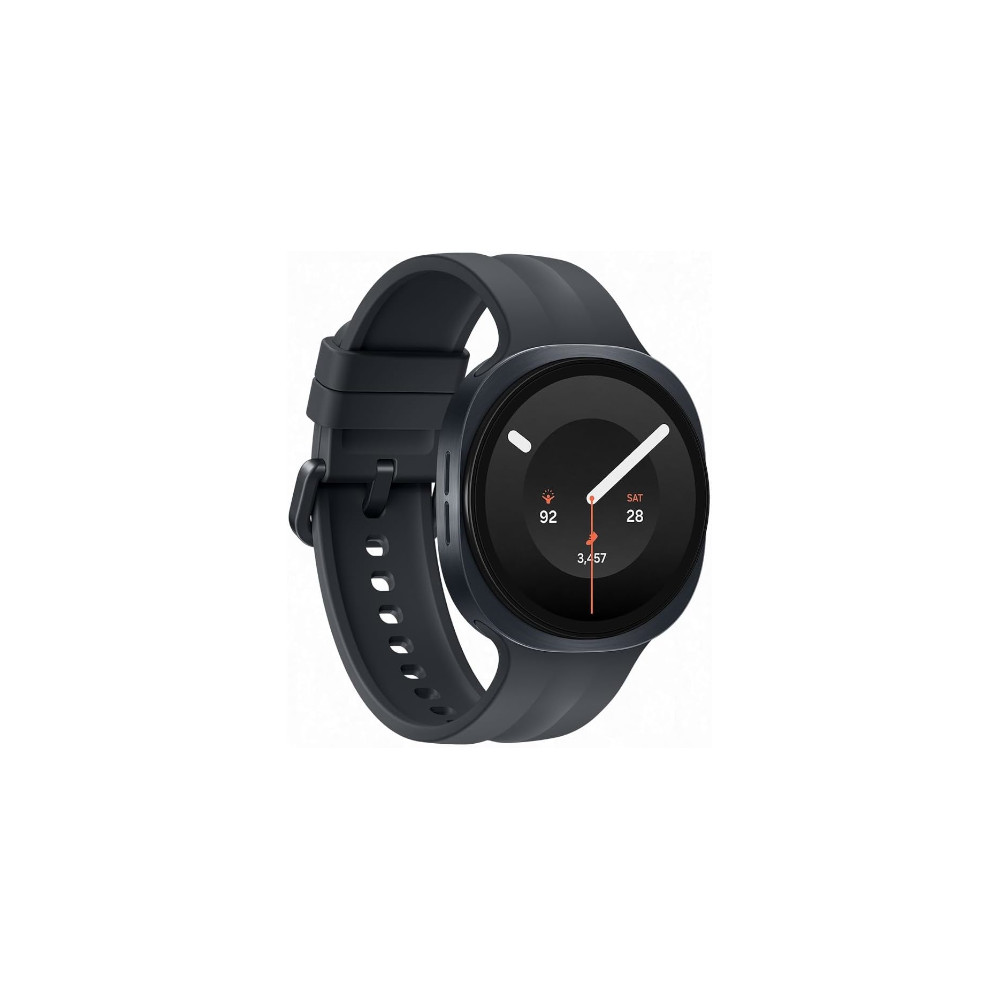
Lightweight • Gemini • Bigger battery • Snapdragon Wear Elite
Samsung’s lightest smartwatch gets even smarter
The Galaxy Watch 9 makes Samsung’s smartwatch more comfortable than ever with a lighter aluminum design, a bigger battery, and the Snapdragon Wear Elite chip. New AI-powered health insights and Gemini’s Raise to Talk feature make it a smarter everyday companion.
