


Edgar Cervantes / Android Authority
Add Android Authority on Google:
TL;DR
- Gemini in Chrome can now analyze podcasts and videos beyond YouTube to surface key takeaways and answer questions.
- Chrome can generate interactive quizzes from your notes, webpages, and YouTube videos to help test your knowledge.
- Chrome now preserves your scroll position and partially filled forms when you send tabs between devices.
Studying back when I was still in school looked a lot different compared to what it’s like today. While the struggles back in the day involved ensuring you had all the information, students today face the opposite problem, and Google wants to help fix that.
The sheer amount of information around topics available today can feel overwhelming, and finding and making sense of just the right information can be challenging. Google is introducing three new Chrome features aimed at making that process a tad bit easier.
We already know that Gemini can parse through YouTube videos to highlight relevant information and answer questions for you. But what about the times when content related to the topic you’re researching or learning about is on a different platform? That’s exactly what the first upgrade tackles.

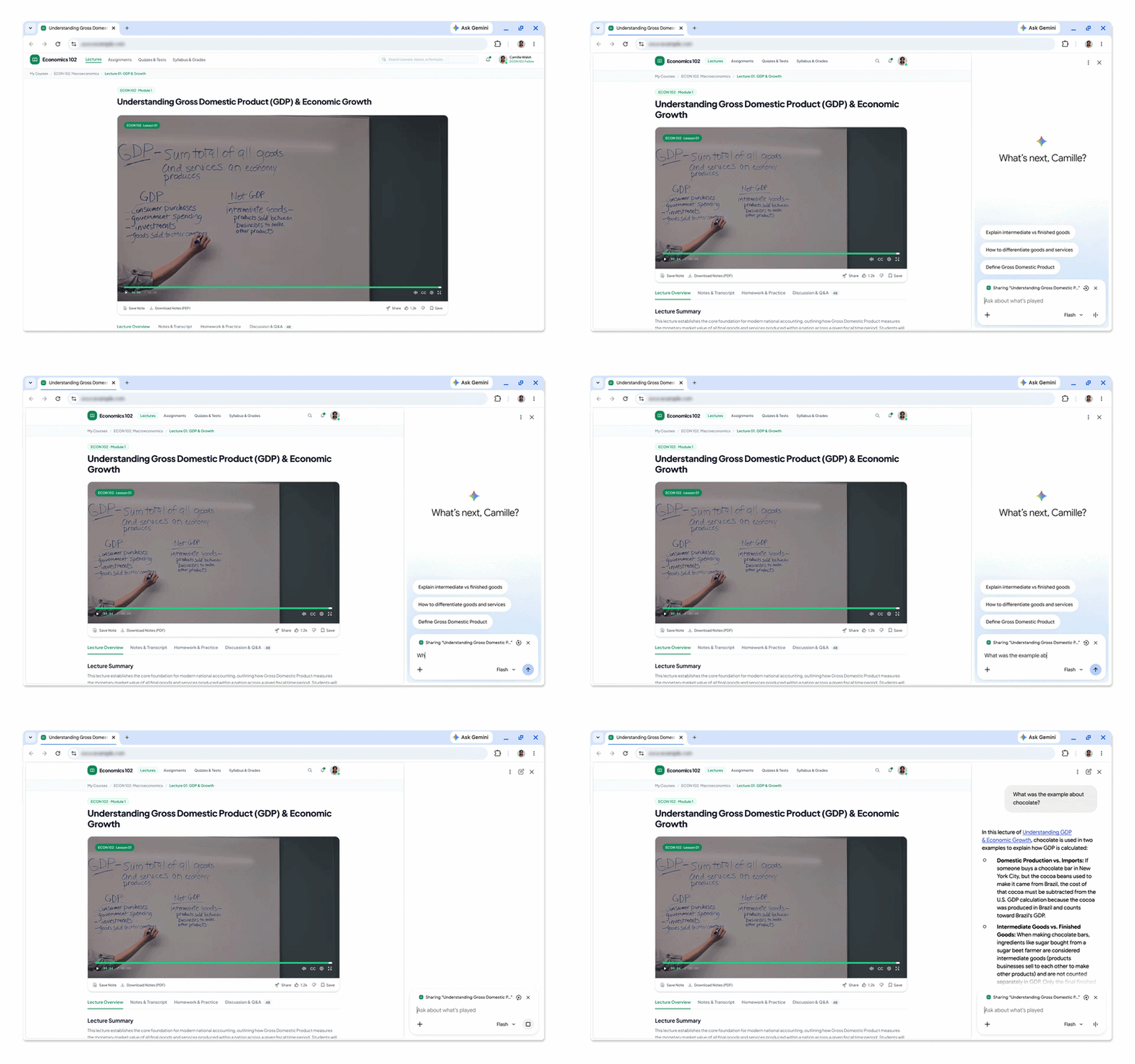
Gemini in Chrome can now parse through video on websites other than YouTube, allowing you to leverage the AI tool to identify key takeaways, find specific information, or clarify confusing moments. The upgrade applies to audio content too, though the functionality does come with a catch.
On YouTube, Gemini leverages videos’ transcripts to surface relevant information. On platforms other than YouTube, you’d need to play through the entire audio or video first before Gemini can analyze it. This means the new feature is great when you’ve already gone through a topic and want to recall details that you might have missed. And once you’ve gone through those and created notes, this next tool is sure to come in handy.

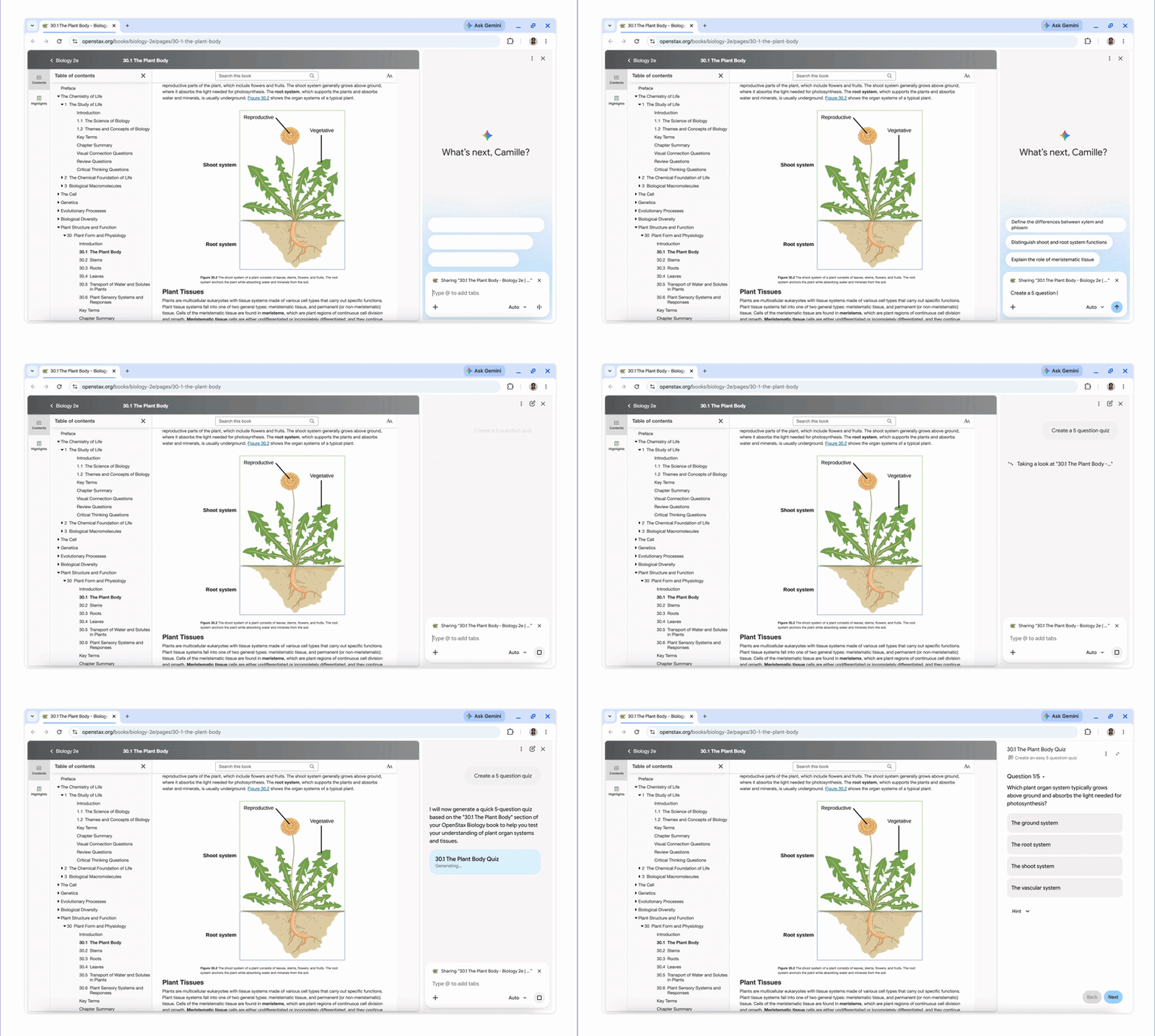
Gemini in Chrome can now generate interactive quizzes based on the content found on your open tab. This works across Google Docs, webpages with text, and YouTube videos.
The functionality is rolling out in English to users in the US and India on desktop. Expect a wider rollout and support for mobile in the coming months.
Chrome gets smarter tab handoff across devices

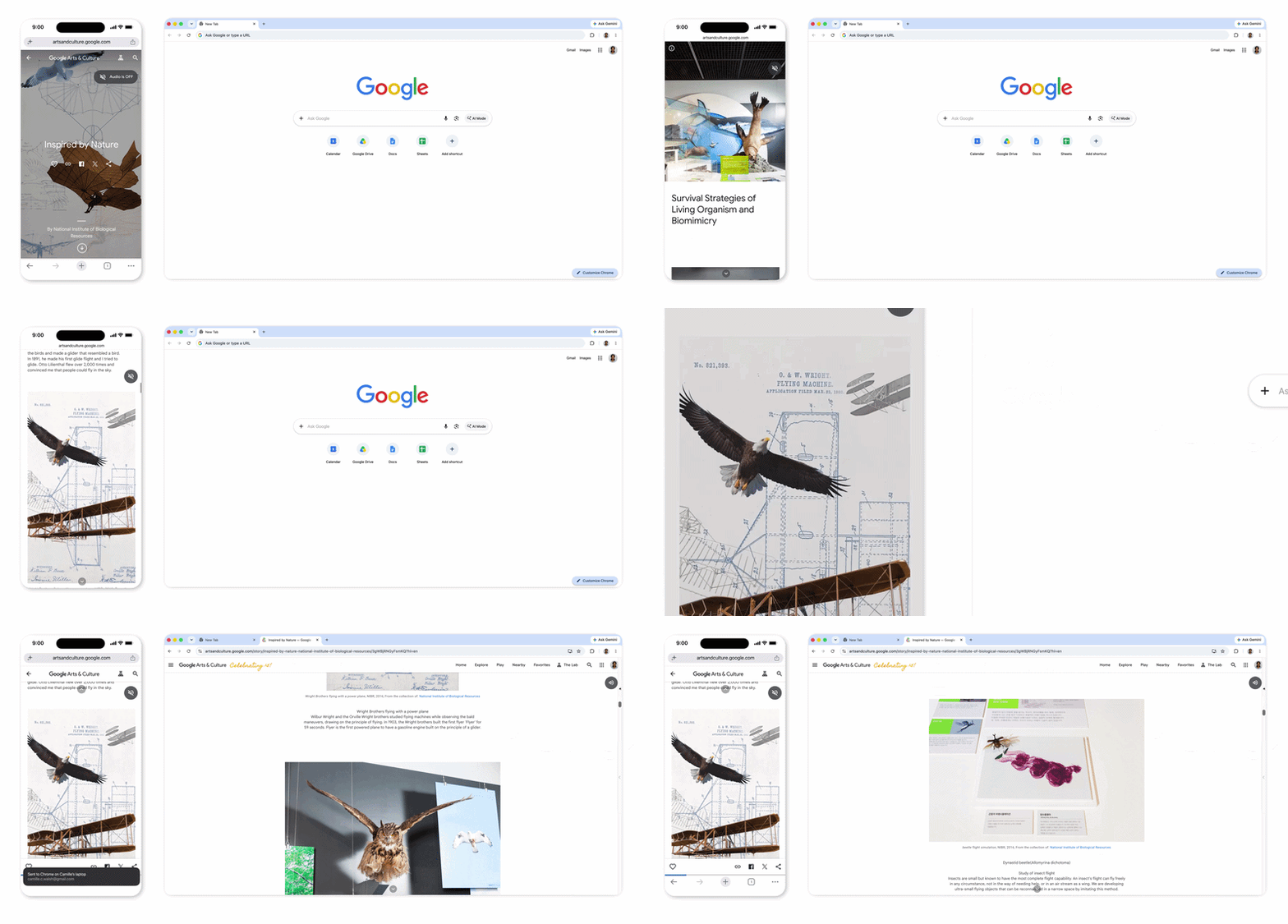
Unlike the other two new additions, this one has nothing to do with AI or Gemini. This one builds on the existing ability to send tabs from your laptop to your phone, and vice versa. Right now, Chrome lets you move tabs between devices, but it doesn’t necessarily preserve progress within the webpage. Google is fixing that.
Chrome can now preserve “the exact state of your tab” when you send it over. This means when you open a transferred tab on a new device, it will open right where you left off — scroll position and everything. Forms will also retain information already filled in, letting you pick up right where you left off.
Google is pitching all of these as upgrades for students, but as is the case with several of its features, you don’t necessarily have to be a student to find them useful.
Thank you for being part of our community. Read our Comment Policy before posting.

