Close Menu
newzz.net
    Facebook X (Twitter) Instagram
    Trending
    • PSA: Don’t wait for Android 17 Developer Previews
    • Stock Market Highlights Feb 4: Markets end flat as IT selloff drags; Sensex up 78 pts to 83,817, Nifty 50 ends 48 pts higher at 25,776
    • Alastair Campbell’s diary: Trump’s lies are trashing the dollar
    • How the New ‘H Is for Hawk’ Movie Brought its Goshawk Stars to the Screen
    • ‘I’m living with cancer and even on the darkest days you have to hold on to hope’
    • Samsung Brings AI to Classrooms with WAFX-P Interactive Display
    • India-US trade deal has reduced much global uncertainty, economic affairs secretary says
    • Snö, by Sverker Sörlin – A greener life, a greener world
    newzz.net
    Thursday, February 5
    • Home
    • Top Stories
    • Technology
    • Business
    • Politics
    • Health
    • Loans
    • Interest Rates
    • Mortgage
    • Entertainment & Arts
    • Science & Environment
    • Smart Solutions
    newzz.net
    You are at:Home»Technology»How to block notification ads on your Samsung phone
    Technology

    How to block notification ads on your Samsung phone

    Editorial TeamBy Editorial TeamDecember 11, 2025No Comments3 Mins Read
    Facebook Twitter Pinterest LinkedIn Tumblr Email
    How to block notification ads on your Samsung phone

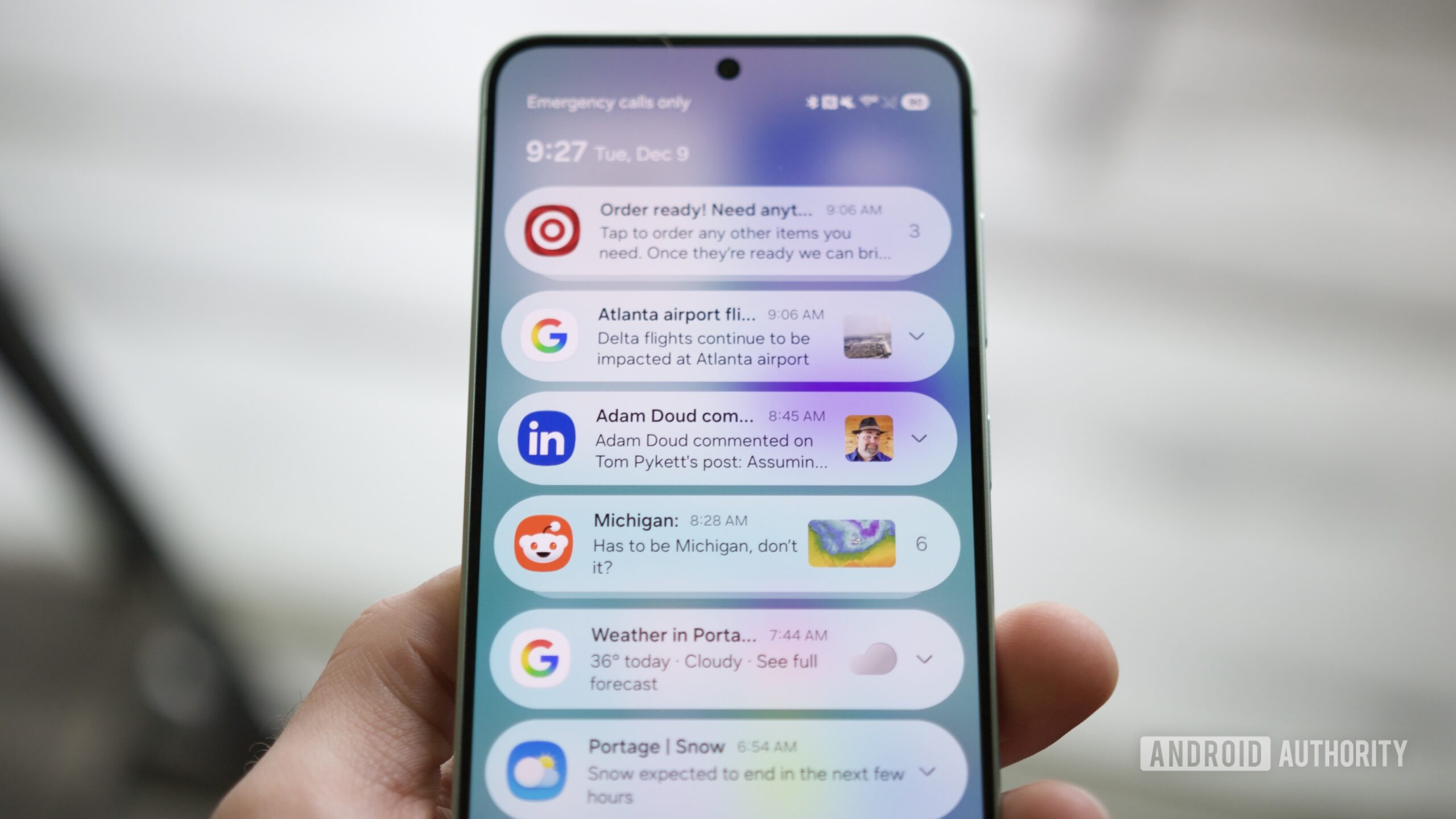
    If you have a smartphone, you almost certainly have to deal with apps sending you ad notifications. Whether it’s for a new product, an ongoing sale, or whatever else, few things are as annoying as having your notifications filled with advertising like this.

    But what if I told you that you could now filter out those advertising notifications so you don’t receive them? If you have a Samsung phone running the One UI 8.5 beta, that’s now possible thanks to Samsung’s new “Block apps with excessive ads” setting. It’s buried deep in One UI 8.5, but it could very well be the update’s best-kept secret. Here’s how to find and use it.

    What do you think of One UI 8.5 beta so far?

    668 votes

    How to block advertising notifications in One UI 8.5

    Notifications on a Samsung phone.

    Joe Maring / Android Authority

    The first thing to do is ensure you have a Samsung phone running the One UI 8.5 beta. You can download the One UI 8.5 beta now for the Galaxy S25, Galaxy S25 Plus, and Galaxy S25 Ultra. If you don’t have one of those phones, or if you prefer not to use beta software, you’ll get this feature when One UI 8.5 rolls out to everyone — likely in early 2026.

    Assuming you do have One UI 8.5 on your phone, here’s where to find the ad-blocking feature:

    1. Open the Settings app on your phone.
    2. Scroll down, then tap Device care.
    3. Tap the three dots in the upper-right corner.
    4. Tap Settings.
    5. Tap Block apps with excessive ads.

    Samsung’s ad-blocking feature is enabled by default using the Basic blocking mode. With basic blocking, any apps Samsung has already flagged as sending frequent/excessive ads are blocked whenever they’re detected on your phone. Samsung doesn’t say which apps these include or how many there are, but they’re presumably apps that are well-known or notorious for their notification advertising.

    Additionally, if you want maximum blocking power, you can tap the toggle at the bottom of the page to turn on Intelligent blocking, a super-charged version of the basic blocking that’s enabled by default. With intelligent blocking, all your notifications are analyzed in real time to determine whether they’re ads; if they are and they’re frequent, they’re blocked.

    Some people may not love the idea of Samsung analyzing their notifications like this, and if that includes you, you can continue on with basic blocking. But if you want to limit ad notifications as much as possible, you’ll probably want to activate intelligent blocking.

    Excessive notification settings in One UI 8.5.

    Joe Maring / Android Authority

    Finally, you can tap Excessive alerts near the top of the screen to view any apps Samsung has marked as sending excessive advertising notifications.

    I’ve only had One UI 8.5 on my Galaxy S25 for a couple of days, so it’s too early to tell how effective (or not) this excessive ad-blocking feature is. Still, as someone who can’t stand ad notifications, I’ve turned on intelligent blocking and am letting Samsung block as many advertisements as possible. And if you hate ads as much as I do, you’ll probably want to do the same.

    Don’t want to miss the best from Android Authority?

    google preferred source badge light@2xgoogle preferred source badge dark@2x

    Thank you for being part of our community. Read our Comment Policy before posting.

    ads block notification Phone Samsung
    Previous ArticleKerala seeks full quantity of fertiliser allocated to meet Rabi season demand
    Next Article AD FEATURE: Make it a Belfast Christmas with Melissa Riddell-Harvey: A festive girls' day out in the heart of the city
    Editorial Team
    • Website

    Related Posts

    PSA: Don’t wait for Android 17 Developer Previews

    Samsung Brings AI to Classrooms with WAFX-P Interactive Display

    The Pixel 10a looks like a lazy update, and that’s why I love it

    Comments are closed.

    • Facebook
    • Twitter
    • Instagram
    • Pinterest
    Don't Miss

    PSA: Don’t wait for Android 17 Developer Previews

    Stock Market Highlights Feb 4: Markets end flat as IT selloff drags; Sensex up 78 pts to 83,817, Nifty 50 ends 48 pts higher at 25,776

    Alastair Campbell’s diary: Trump’s lies are trashing the dollar

    How the New ‘H Is for Hawk’ Movie Brought its Goshawk Stars to the Screen

    About

    Welcome to Newzz.net, your trusted source for timely, accurate, and insightful news from around the world. We are dedicated to delivering the latest updates and in-depth analysis across a wide range of topics, ensuring our readers stay informed, empowered, and engaged.
    We're social, connect with us:

    Popular Posts

    PSA: Don’t wait for Android 17 Developer Previews

    February 4, 2026

    Stock Market Highlights Feb 4: Markets end flat as IT selloff drags; Sensex up 78 pts to 83,817, Nifty 50 ends 48 pts higher at 25,776

    February 4, 2026

    Alastair Campbell’s diary: Trump’s lies are trashing the dollar

    February 4, 2026
    Categories
    • Business
    • Entertainment & Arts
    • Health
    • Interest Rates
    • Loans
    • Mortgage
    • Politics
    • Science & Environment
    • Smart Solutions
    • Technology
    • Top Stories
    Copyright © 2026. newzz.net Designed by Webwazirds7.
    • About Us
    • Privacy Policy
    • Terms and Conditions
    • Contact Us

    Type above and press Enter to search. Press Esc to cancel.